When it comes to agent-based monitoring and Docker, you're typically choosing between two bad options: (1) install the agent and its dependencies directly on the host or (2) running an agent in every container.
- Installing the agent on the host is bad: Docker is best when everything is containerized. It means your services will run as expected, anywhere, without dependencies. Why does monitoring get to break that rule?
- Running an agent in every container is bad: lets say you have 30 containers on a host that need to be monitored. Do you really want 30 agents running (one in each container)? That's a considerable amount of overhead.
Enter docker-scout. docker-scoutis the Scout monitoring agent distributed via a Docker image. It's zero-dependency Docker monitoring: just run our image and your host is monitored.
Quick Start
1. Create a configuration file
Create a file called scoutd.yml (or copy our template). Your account_key is required, all other values are optional.
account_key: YOUR_SCOUT_ACCOUNT_KEY
2. Run the docker image
Run the scout image, mounting the scoutd.yml file. Running the image will first download the image, if it is not already locally available. Run the following command in the directory containing your scoutd.yml file:
docker run -d --name scout-agent
-v /proc:/host/proc:ro
-v /etc/mtab:/host/etc/mtab:ro
-v /var/run/docker.sock:/host/var/run/docker.sock:ro
-v pwd/scoutd.yml:/etc/scout/scoutd.yml
–net=host --privileged scoutapp/docker-scout
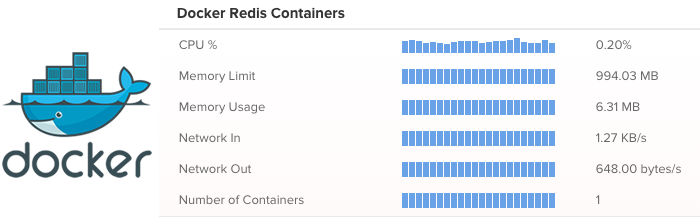
Monitoring Docker Containers
Monitor the resource usage of your running containers with our Docker Monitoring Plugin
Questions? Using Docker?
Shoot us an email at support@scoutapm.com or open an issue.
For application monitoring with errors, logs, and traces, Scout Monitoring provides the fastest insights without the bloat.