Flask Performance Monitoring
Errors, logs, and traces for your Flask applications. Scout's Python agent instruments Flask routes and SQLAlchemy queries automatically, detects N+1 patterns, monitors Celery background tasks, and catches memory bloat. Requires Python 3.8+ on Linux or macOS.
 Errors, Logs, and Traces
Errors, Logs, and Traces in One View for Flask Apps
Scout connects Flask route exceptions to the full request trace and surrounding log lines in a single view. When a route handler raises an exception or a Celery task fails, you see the error, the trace with per-operation timing, and the log context together. No switching between separate error tracking and APM tools.

Error Monitoring
Automatic exception capture across Flask route handlers and Celery tasks. Errors are linked to the originating trace with full request context so you see which endpoints and task types are affected.

Log Management
Log output is enriched with trace context and forwarded alongside performance data. Filter logs by trace ID to see exactly what your Flask application was doing before, during, and after an issue.

App Traces
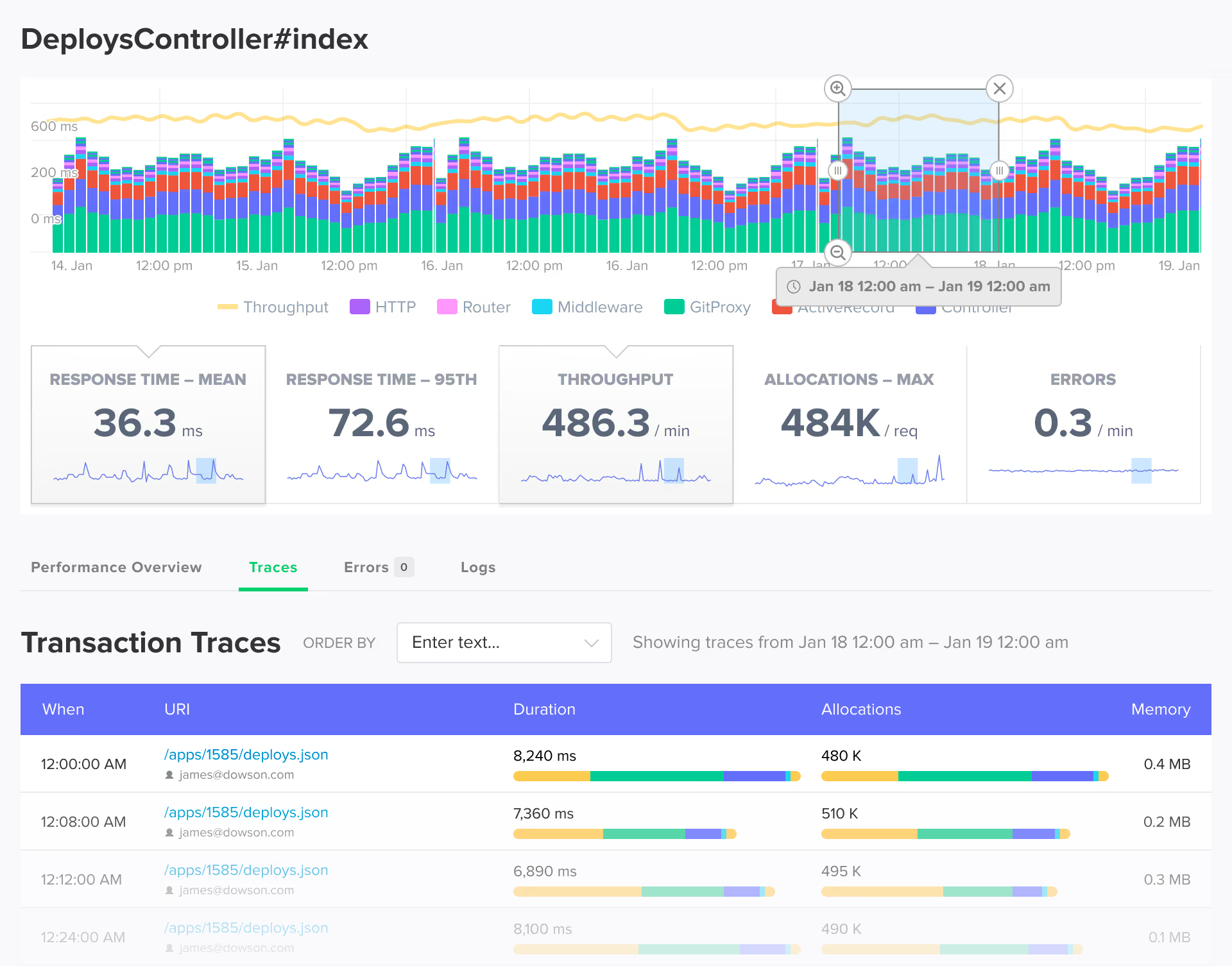
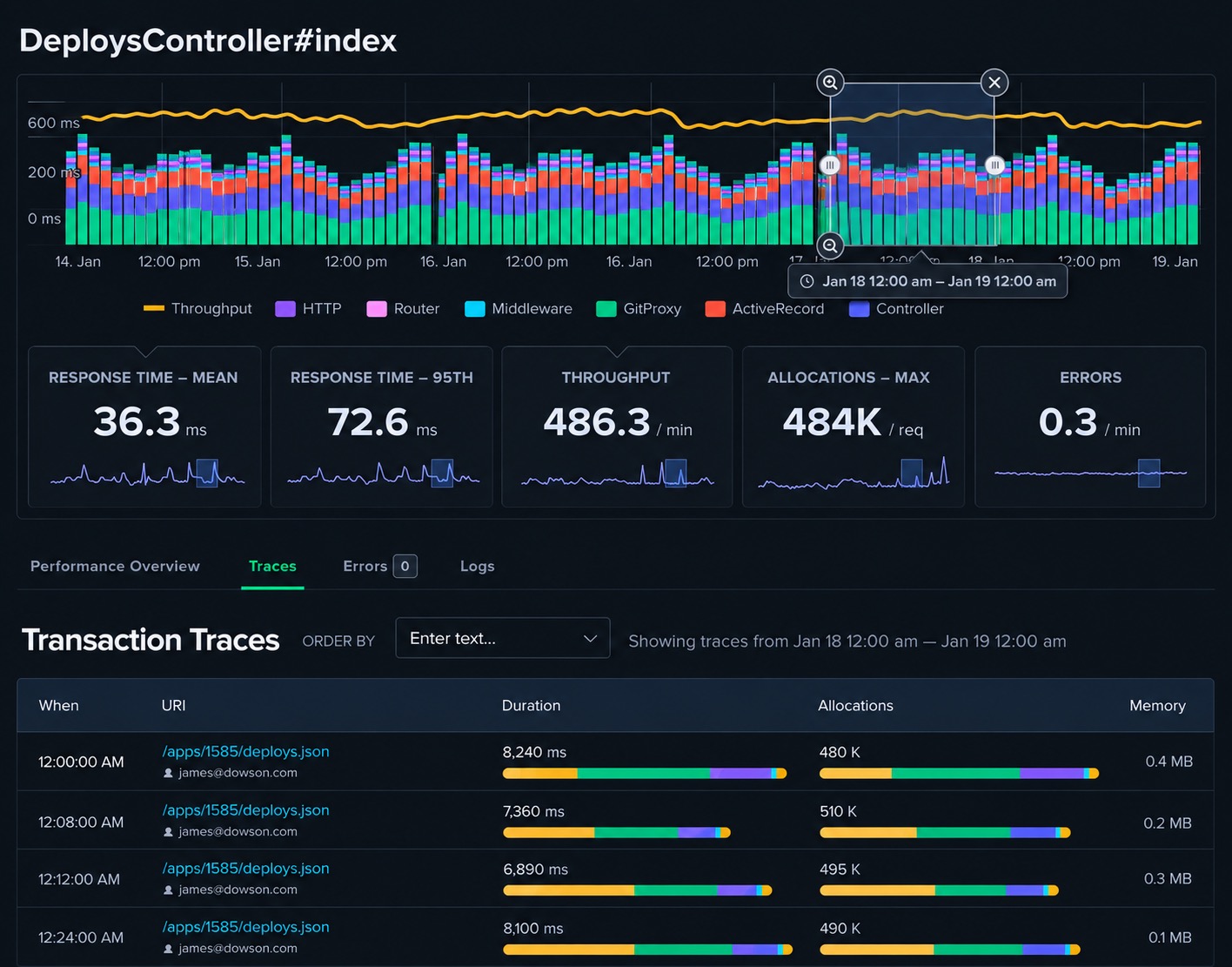
Transaction tracing with code-level visibility into Flask route handlers, SQLAlchemy queries, Jinja2 template rendering, and external HTTP calls. Detailed backtraces show the exact line of code responsible for slow responses.
 Query Analysis
N+1 Detection in SQLAlchemy
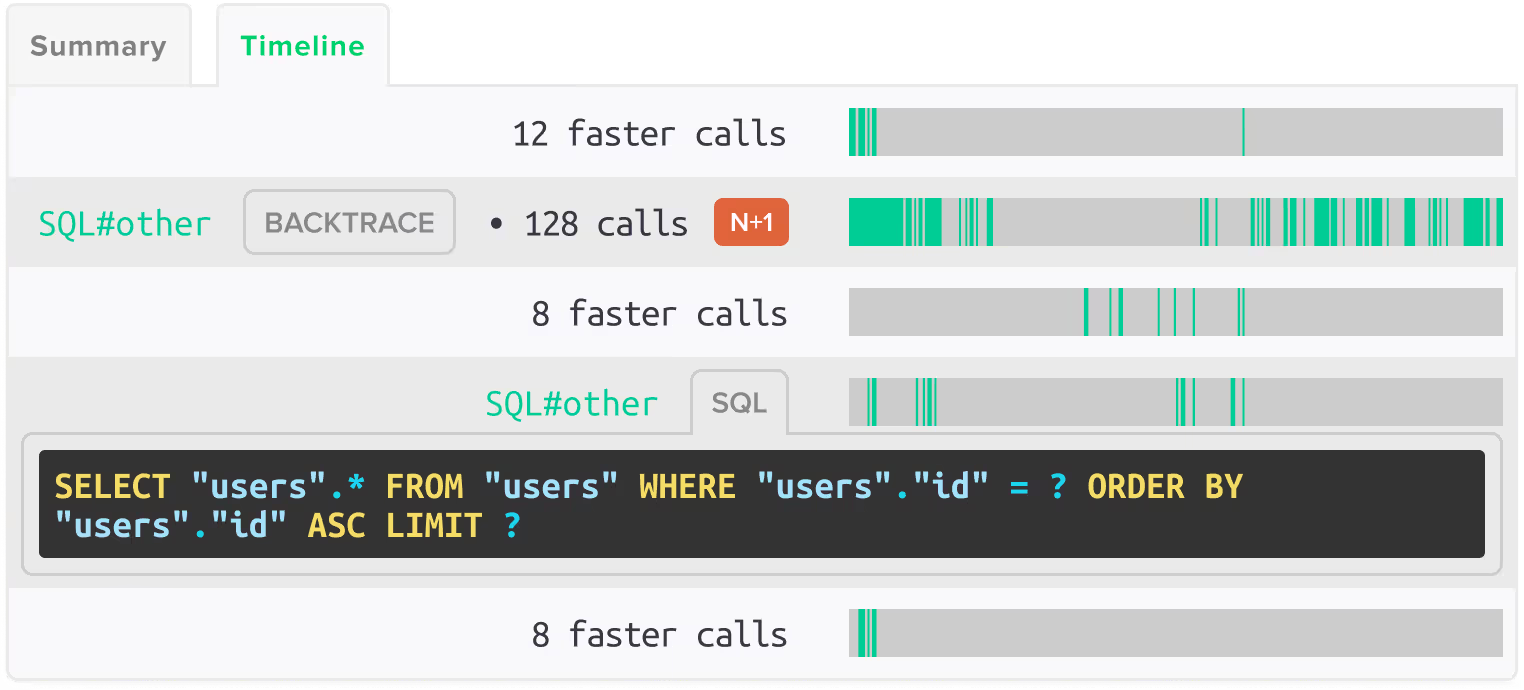
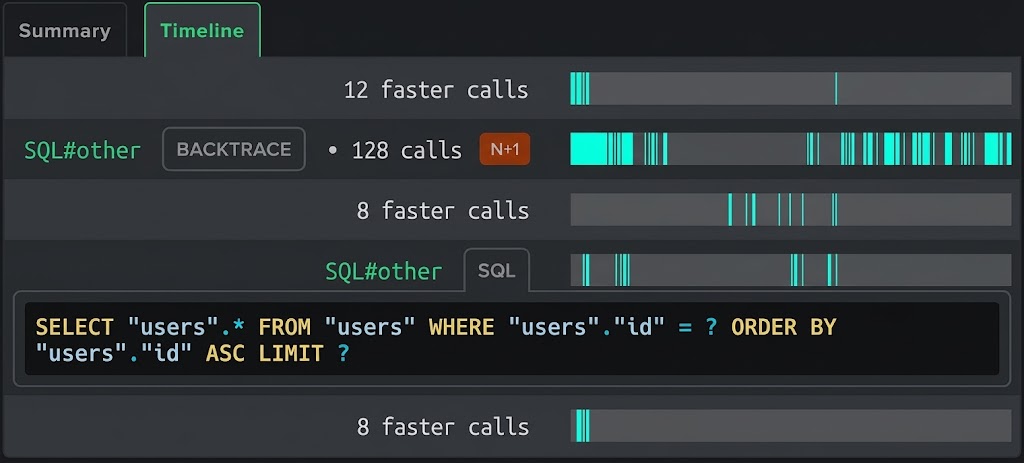
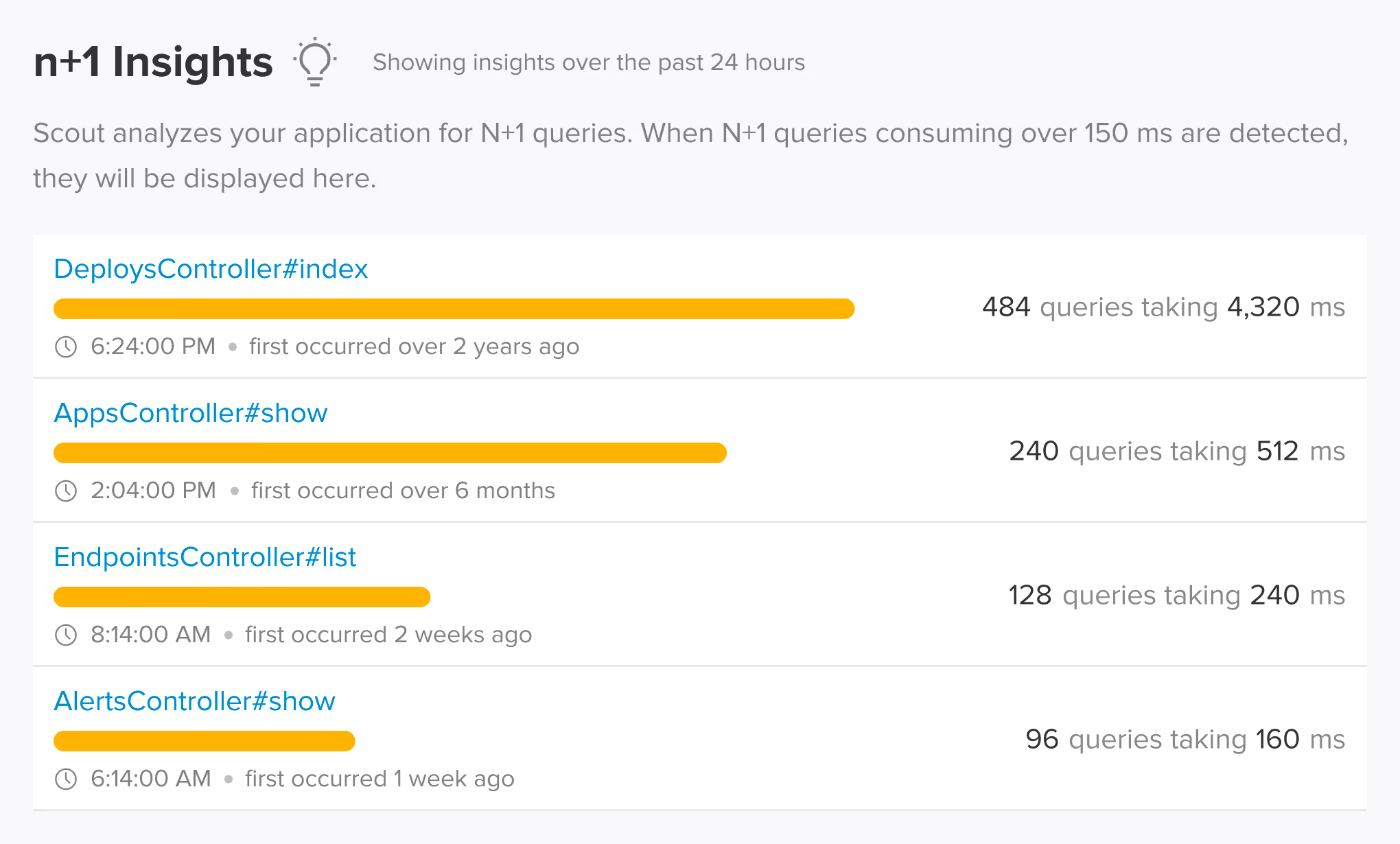
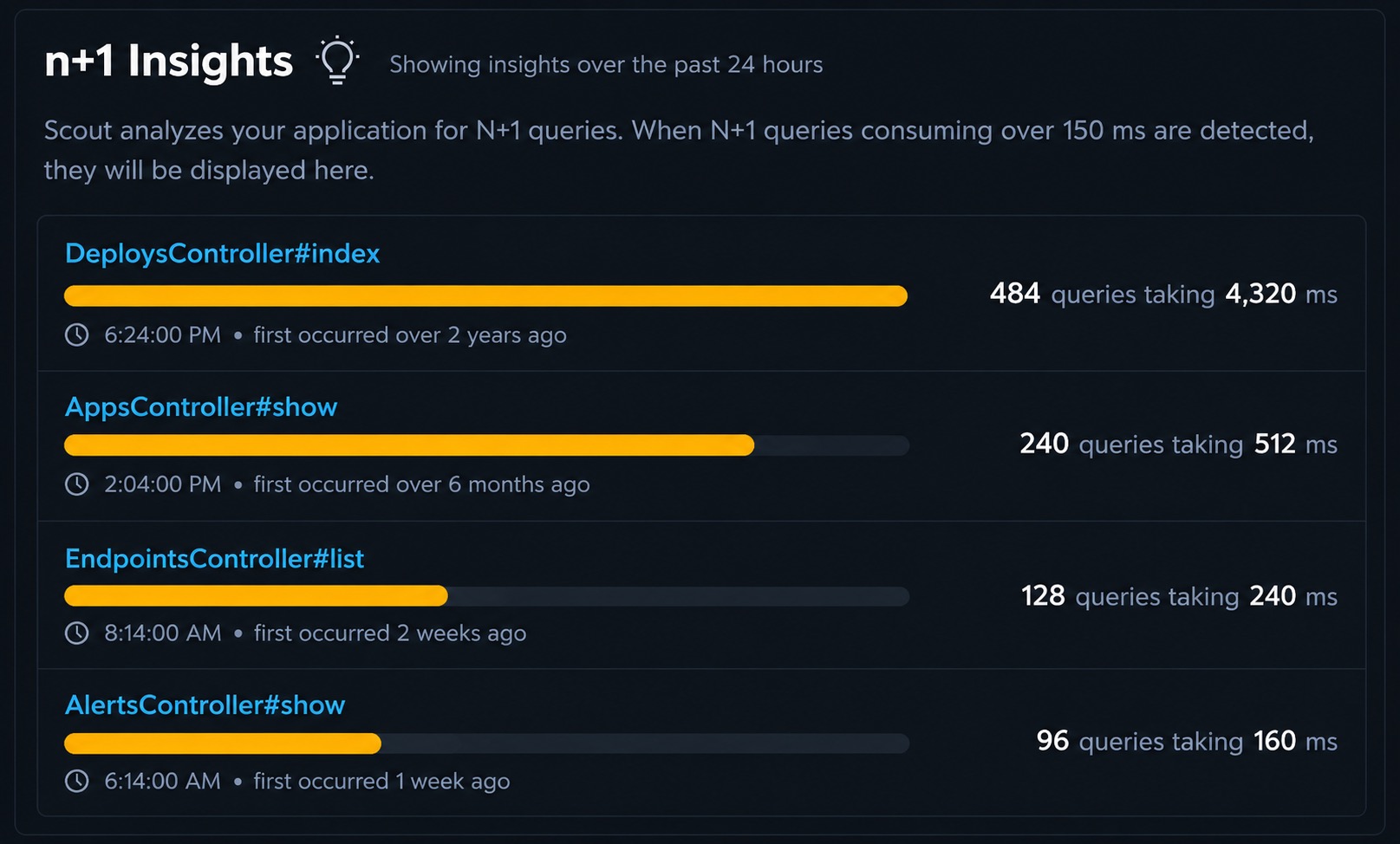
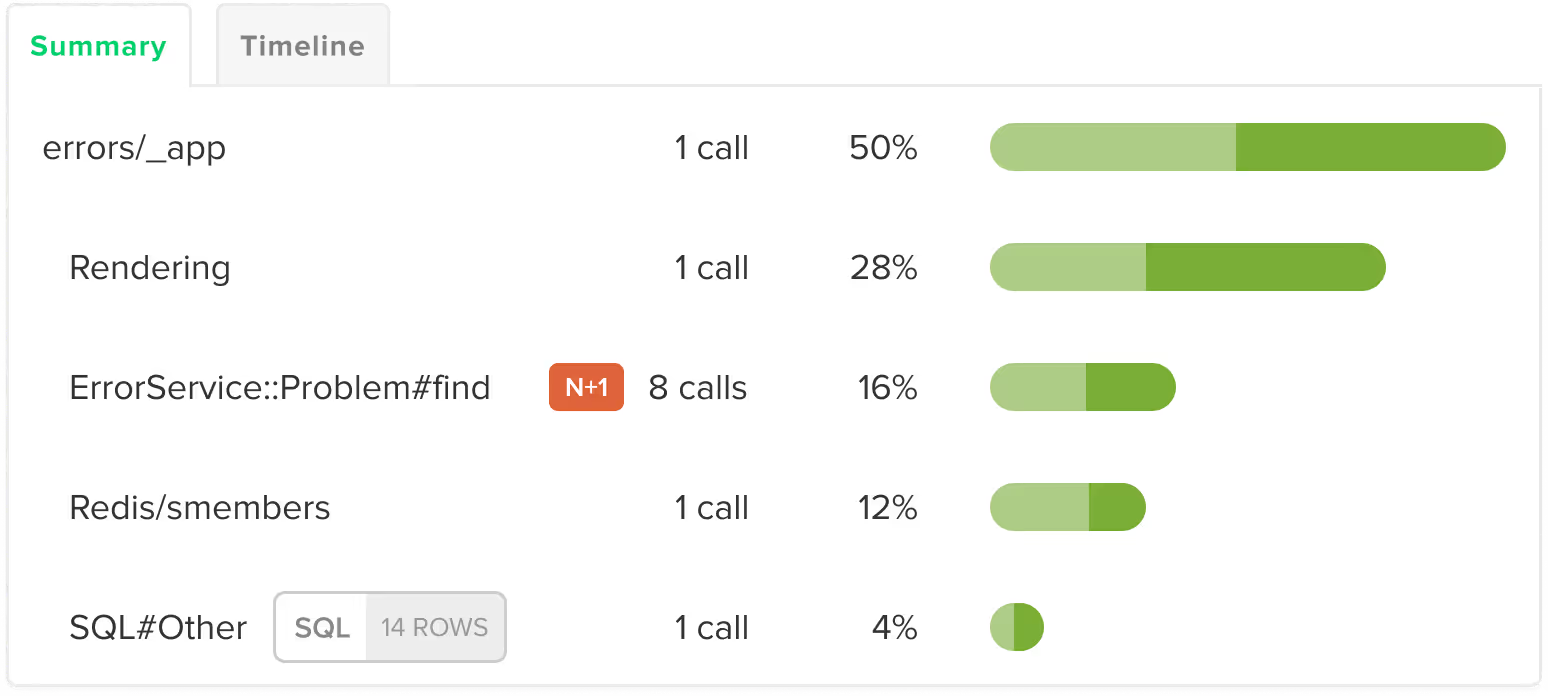
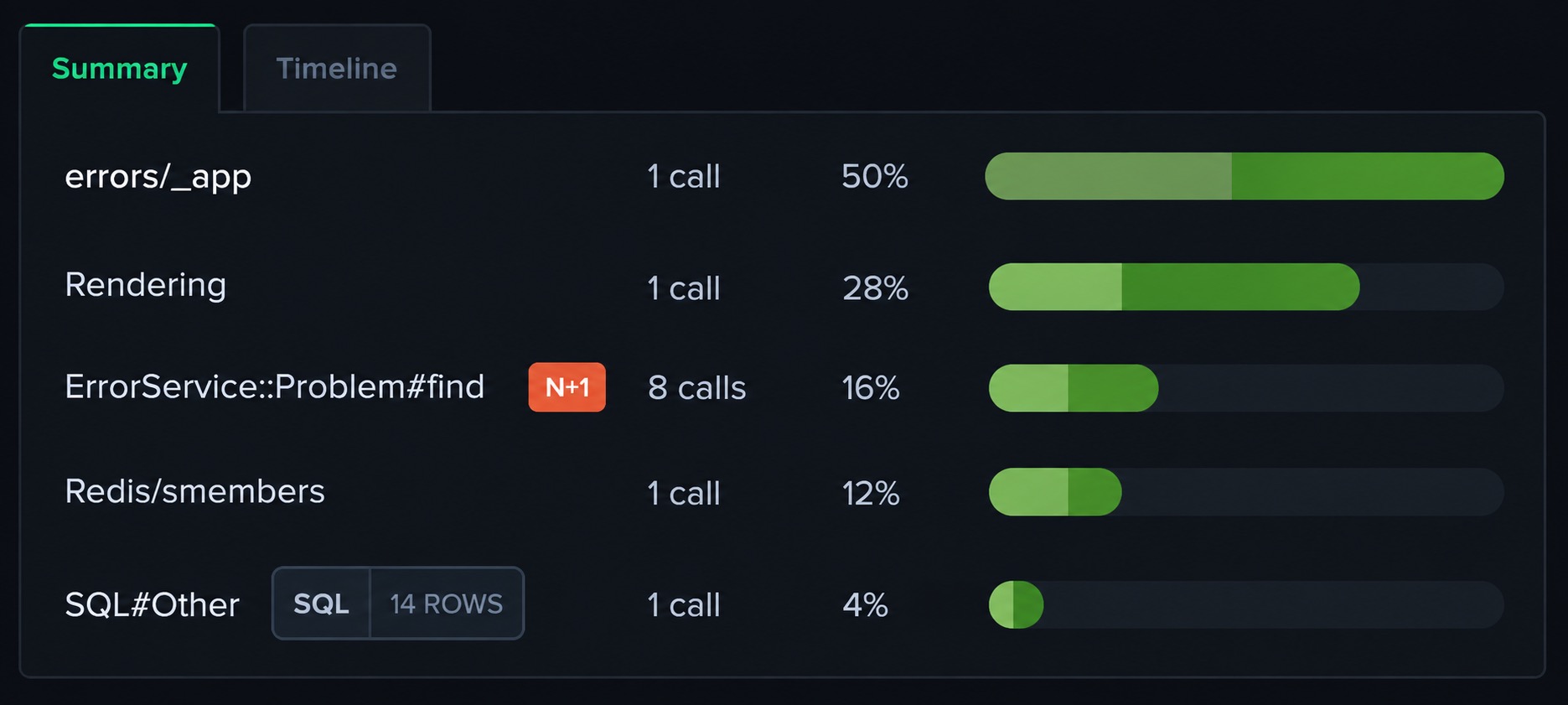
Scout automatically detects N+1 query patterns in SQLAlchemy without configuration. The agent monitors database queries within Flask route handlers and Celery tasks, identifies repeated query patterns, and shows the exact code location and performance impact of each N+1. Supports SQLite, PostgreSQL, MySQL, MariaDB, Oracle, MS SQL, and CockroachDB.
 Auto-Instrumentation
What Scout Instruments in Your Flask App
Scout auto-instruments Flask at the middleware level. SQLAlchemy queries, Jinja2 template rendering, and Requests/UrlLib3 HTTP calls are all captured automatically. Celery and Dramatiq background tasks appear with per-task timing and error tracking. ElasticSearch, PyMongo, and Redis are instrumented with zero configuration. No manual spans or decorators required.
 Supported Frameworks
Works with the Flask frameworks you already use
Scout auto-instruments the frameworks and libraries in your stack. No manual configuration required.
Web Framework
- Flask
- Starlette
Task Queues
- Celery
- Dramatiq
- Huey
- RQ
Databases
- SQLAlchemy
- PyMongo
- Redis
- ElasticSearch
Other
- Jinja2
- Requests
 Memory Profiling
Memory Bloat Detection for Flask and Celery
Flask applications and Celery workers can accumulate memory over time, especially in long-running processes handling large payloads. Scout detects memory bloat at the transaction level, showing which route handlers and background tasks are responsible for memory growth. This goes beyond host-level metrics by identifying the specific code paths causing the increase.
 AI Native
Query Your Flask App Data from AI Assistants and the Terminal
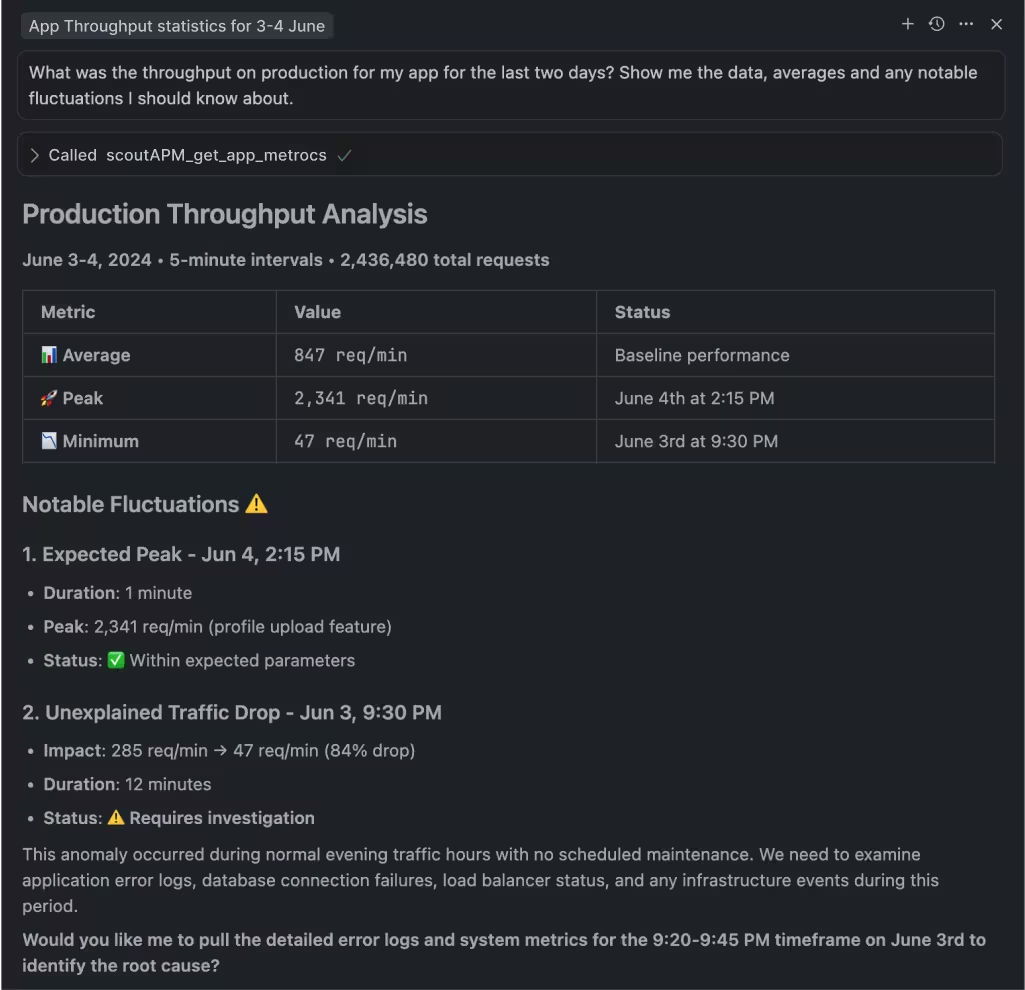
Scout offers hosted and local MCP servers with 17 tools, a Go CLI available via Homebrew with TOON format for LLM output, and a public API. Query your Flask application's errors, traces, N+1 insights, and Celery task performance from Claude Code, Cursor, or the terminal.

MCP Server
Hosted or local MCP server with 17 tools covering apps, endpoints, traces, errors, insights, background jobs, and usage data. Works with Claude Code, Cursor, VS Code Copilot, and any MCP-enabled assistant.

Scout CLI
Go binary available via Homebrew. Query app metrics, endpoint performance, traces, error groups, and insights from the terminal. Outputs human-friendly tables or TOON format for LLM consumption.

Public API
Full programmatic access to your monitoring data for building custom integrations, dashboards, or automation workflows.
 Get Started in Minutes
Add Scout to Your Flask App
Get Scout running on your Flask app in under 3 minutes.
Install the package:
pip install scout-apmAdd the Scout middleware to your Flask app and configure your Scout key.
Deploy and see data in 5 minutes.
 FAQ
FAQ
Flask Monitoring FAQ
What is the best monitoring tool for Flask?
Scout Monitoring provides integrated errors, logs, and traces for Flask applications. The Python agent includes automatic N+1 detection in SQLAlchemy, memory bloat detection at the transaction level, Celery and Dramatiq background task monitoring, and auto-instrumentation for ElasticSearch, PyMongo, Redis, and Jinja2. Scout is built for Python teams that want all their monitoring signals in one place without enterprise complexity.
What is the best APM for Flask?
Scout is a Python APM that works well with Flask's lightweight, composable architecture. The agent instruments Flask at the middleware level without requiring changes to your route handlers. SQLAlchemy query tracking, N+1 detection, Celery task monitoring, error capture, and log management are all included. Requires Python 3.8+ on Linux or macOS.
How do I detect slow queries in Flask with SQLAlchemy?
Scout automatically instruments SQLAlchemy queries within Flask route handlers and Celery tasks. Every query appears in the transaction trace with timing, and N+1 patterns (repeated queries triggered in a loop) are identified automatically with the code location and total performance impact. Supports all major databases including PostgreSQL, MySQL, SQLite, MariaDB, and CockroachDB.
How do I monitor Flask with Celery?
Scout auto-instruments both Flask route handlers and Celery tasks in the same agent. Background tasks appear as their own transactions with execution timing, error tracking, and N+1 detection. Memory bloat analysis applies to Celery workers the same way it applies to Flask requests. Dramatiq, Huey, and RQ are also supported.
How do I track Flask errors with Scout?
Scout captures exceptions from Flask route handlers and Celery tasks automatically. Each error is linked to the request trace and surrounding log context, so you see the error, the full trace with operation timing, and the log lines together in one view.
How do I add Scout to a Flask app?
Install the package with pip install scout-apm, then use the FlaskInstrumentor middleware in your application factory or app setup. Add your Scout key and app name to the configuration and deploy. The agent instruments routes, SQLAlchemy, and Celery tasks immediately with no additional setup.
Does Scout support Flask blueprints?
Yes. Scout instruments Flask at the WSGI middleware level, so all routes including those registered via blueprints appear as separate transactions in Scout with their full URL pattern. There is nothing extra to configure for blueprint-based Flask applications.
Can I use Scout with Claude Code or Cursor for Flask debugging?
Yes. Scout offers hosted and local MCP servers with 17 tools that work with Claude Code, Cursor, VS Code Copilot, and any MCP-enabled assistant. You can query your Flask application's slow route traces, SQLAlchemy N+1 insights, error rates, and Celery task performance in natural language from your editor. The Scout CLI, available via Homebrew, gives terminal access to the same data in TOON format for LLM consumption.
How does Scout compare to Sentry and Datadog for Flask?
Sentry focuses on error tracking. Datadog is a full observability platform. Scout integrates errors, traces, and logs for Flask with automatic N+1 detection in SQLAlchemy, Celery job monitoring, and memory bloat analysis. Scout includes MCP server access for AI-assisted development. For Flask teams that want one tool without enterprise complexity, Scout is a better fit.
Does Scout work with Heroku for Flask apps?
Yes. The Heroku addon automatically configures SCOUT_MONITOR and SCOUT_KEY. You only need to set SCOUT_NAME to identify your application. Scout supports Heroku's dyno-based architecture for Flask applications.
Can I get Scout through AWS Marketplace?
Yes. Scout is available on AWS Marketplace for teams that prefer to consolidate monitoring spend with their AWS account. The same Flask agent and features work regardless of how you purchase. See our AWS Marketplace listing at /aws-marketplace-application-monitoring for details.
Does Scout work with DigitalOcean for Flask apps?
Yes. Scout is available as a DigitalOcean addon. It integrates with your existing DigitalOcean billing and works with Flask applications running on DigitalOcean App Platform or Droplets.