 Built for AI Code
Chat with your app data in human language — Plug your AI into Scout
Scout's MCP server exposes performance issues and slow endpoints to your coding assistants. Available as a hosted server with zero setup, or self-hosted if you prefer to run it locally.

 and more
Scout's MCP targets the unpredictable elements of AI coding
 Lost flow
Context-switching kills momentum, and UX suffers
 Tool sprawl
APM + errors + logs = separate, heavy, expensive
 Black Box AI Code
Bugs after deploy that are hard to explain or reproduce
 Makes AI Monitoring Natural
Scout's MCP tracks any issues in the editor, automatically giving your agent deep insights
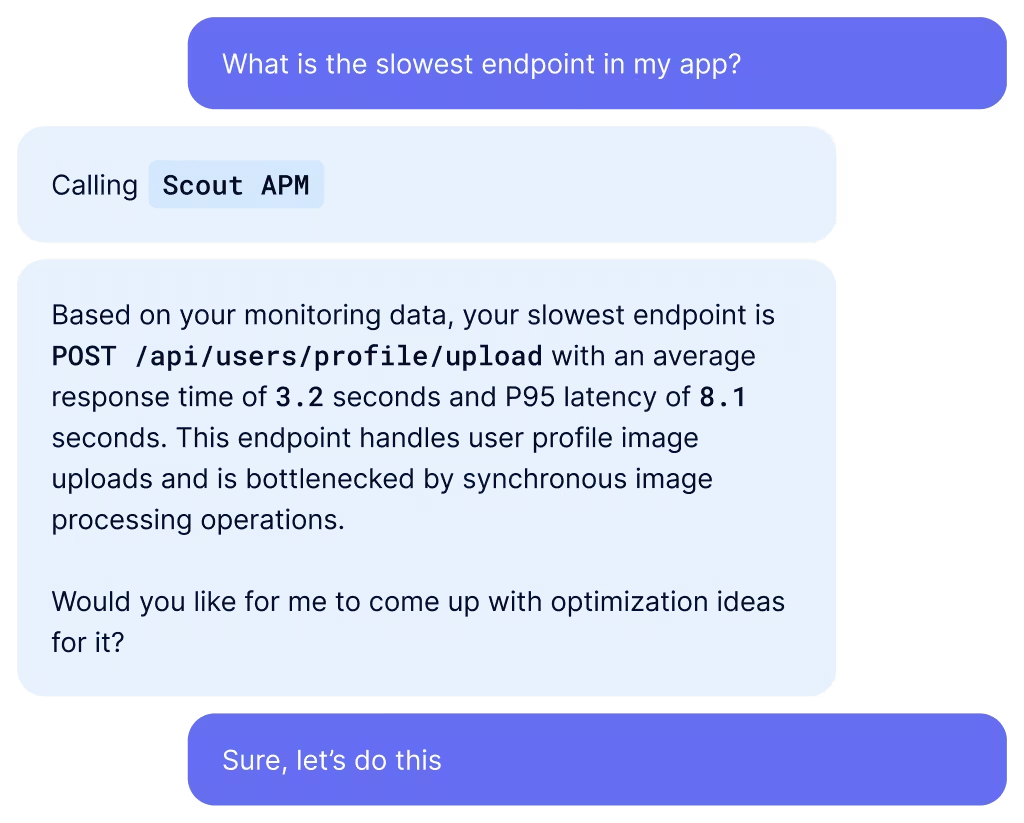
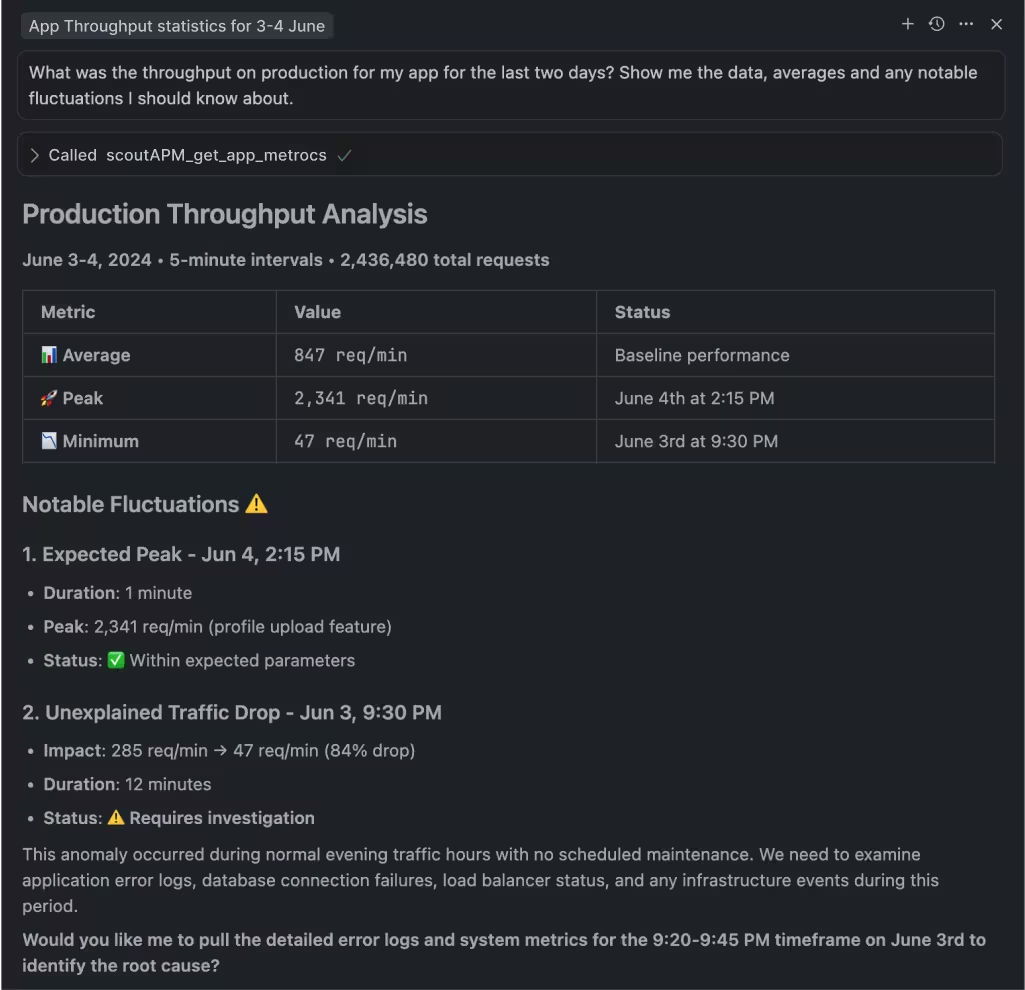
Ask your agent about app issues in natural language and get performance answers
Skip dashboards and get clear performance monitoring answers on demand.
Awareness-based performance fixes
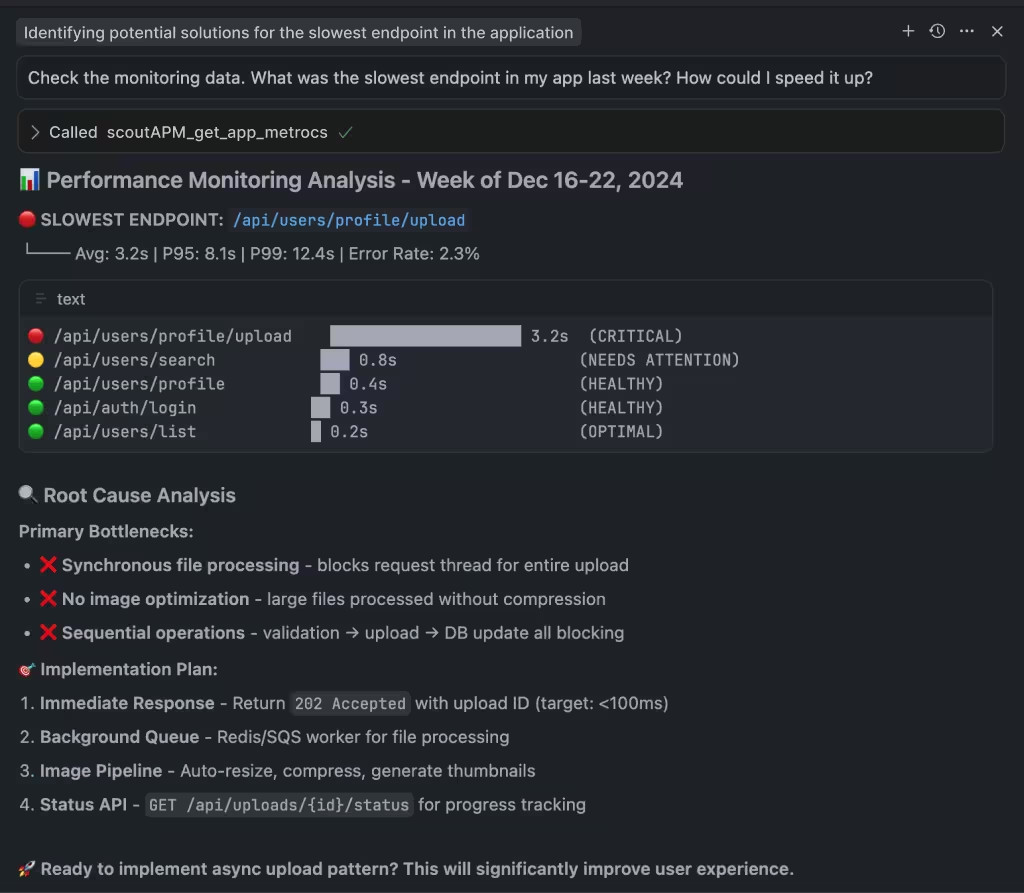
With insights from Scout MCP, your agents learn to suggest contextual fixes for any detected issues.
 Get Started
Add Scout's MCP server to your AI editor
Keep production running smoothly
 Discover hidden issues
Surface AI-specific bugs before they hit production
 Hassle-free monitoring
Errors, Logs, and Traces — right where you need them
 Everything in the editor
Focus on informed delivery, no context-switching needed
 FAQ
FAQ
Scout MCP FAQ
What AI Assistants are supported?
Scout's MCP server works with any AI assistant that supports the Model Context Protocol, including Claude Desktop, Claude Code, Cursor, VS Code with Copilot, Windsurf, Cline/Roo, Amp, and more.
Is there a remote MCP server?
Yes. Scout's hosted MCP server is available with no infrastructure setup required. It authenticates via OAuth and works with any MCP-compatible AI assistant. Set-up docs here.
Does using Scout MCP have any associated cost?
There is no direct cost for using Scout's MCP server. It uses API access from your existing Scout account. Rate limits may apply, and there may be indirect token costs from your AI assistant provider.
What data does the Scout MCP server have access to?
The Scout MCP server has read-only access to insight, error, metric, and trace data from your Scout account. Log data support is coming soon.