Get Scout's performance monitoring for Elixir
Scout pinpoints and ranks performance bottlenecks in your Elixir applications. With automatic monitoring for Phoenix projects, see exactly which module is causing problems through detailed process traces -- in just three easy steps.

Find Issues Fast
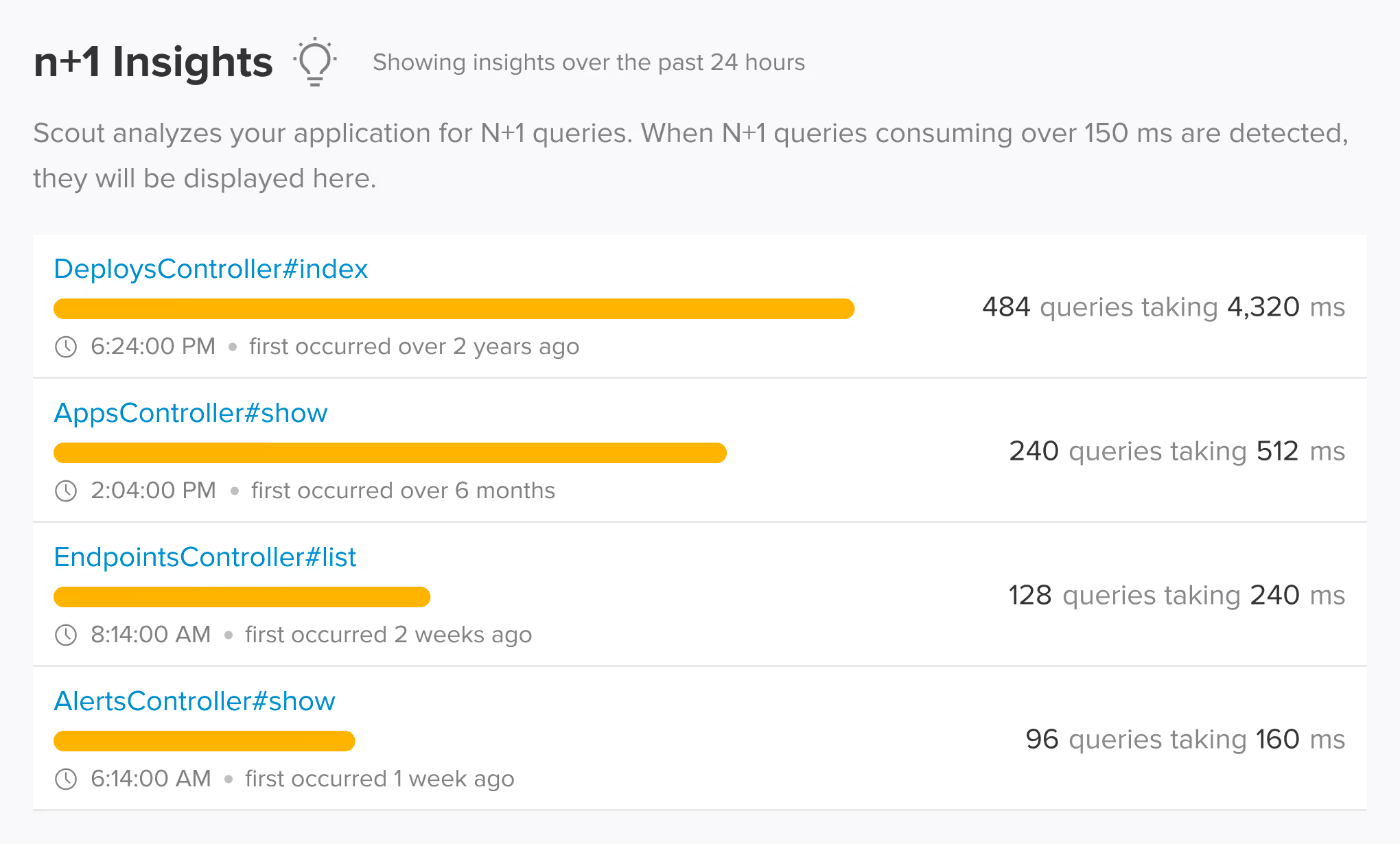
Find and prioritize N+1 queries and memory bloat automatically, ranked by actual impact on your application. Our customers like Grizzly Labs and IETF have seen up to 3x performance improvements by addressing performance and stability issues Scout discovered.

Smart Monitoring
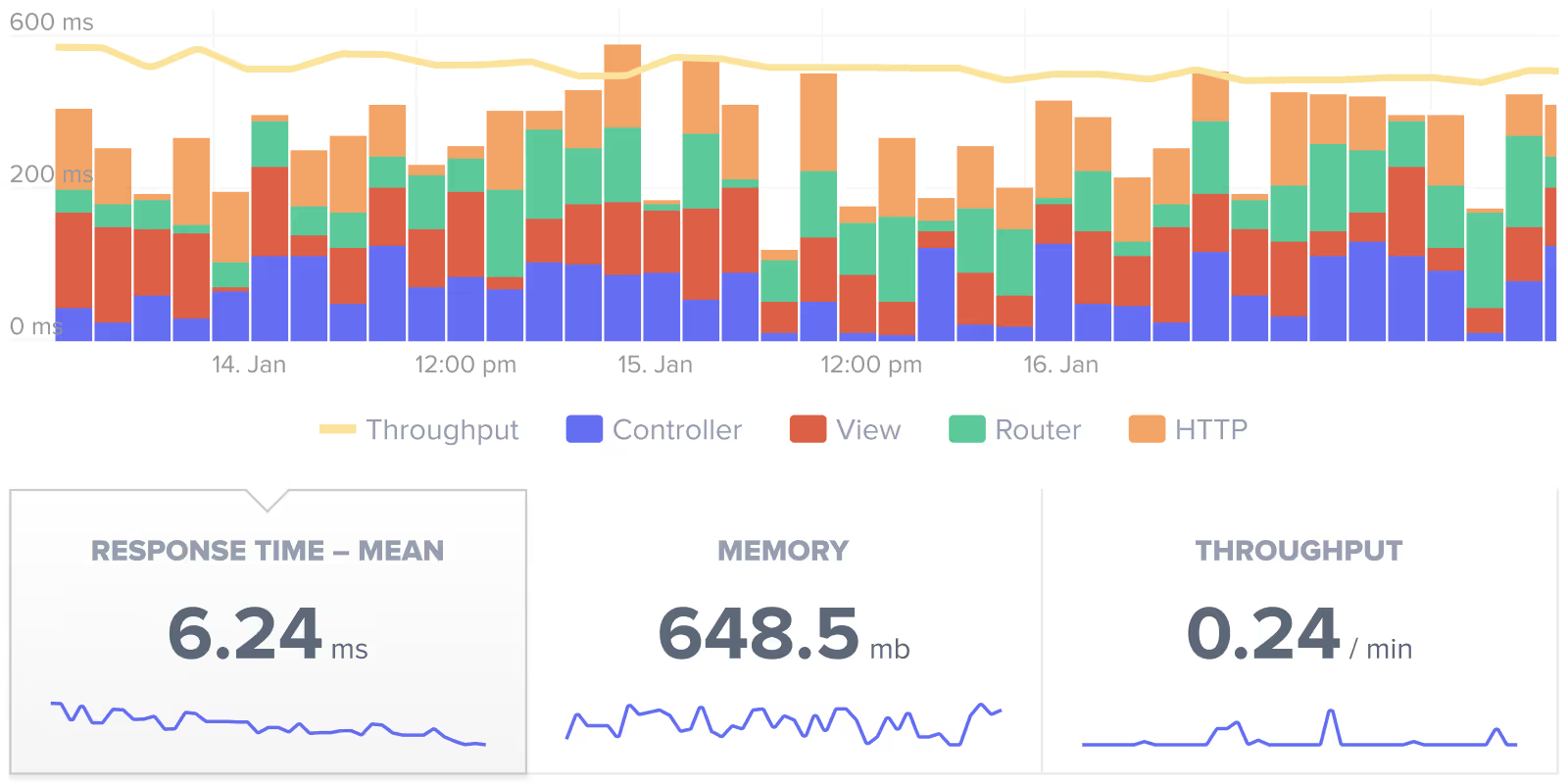
Automatically track memory usage, optimize queries, and monitor object allocations with minimal overhead (typically <1%). Scout analyzes your application metrics every minute and sends them securely through 256-bit encrypted connections, ensuring you never miss a performance regression.

Pinpoint Problems
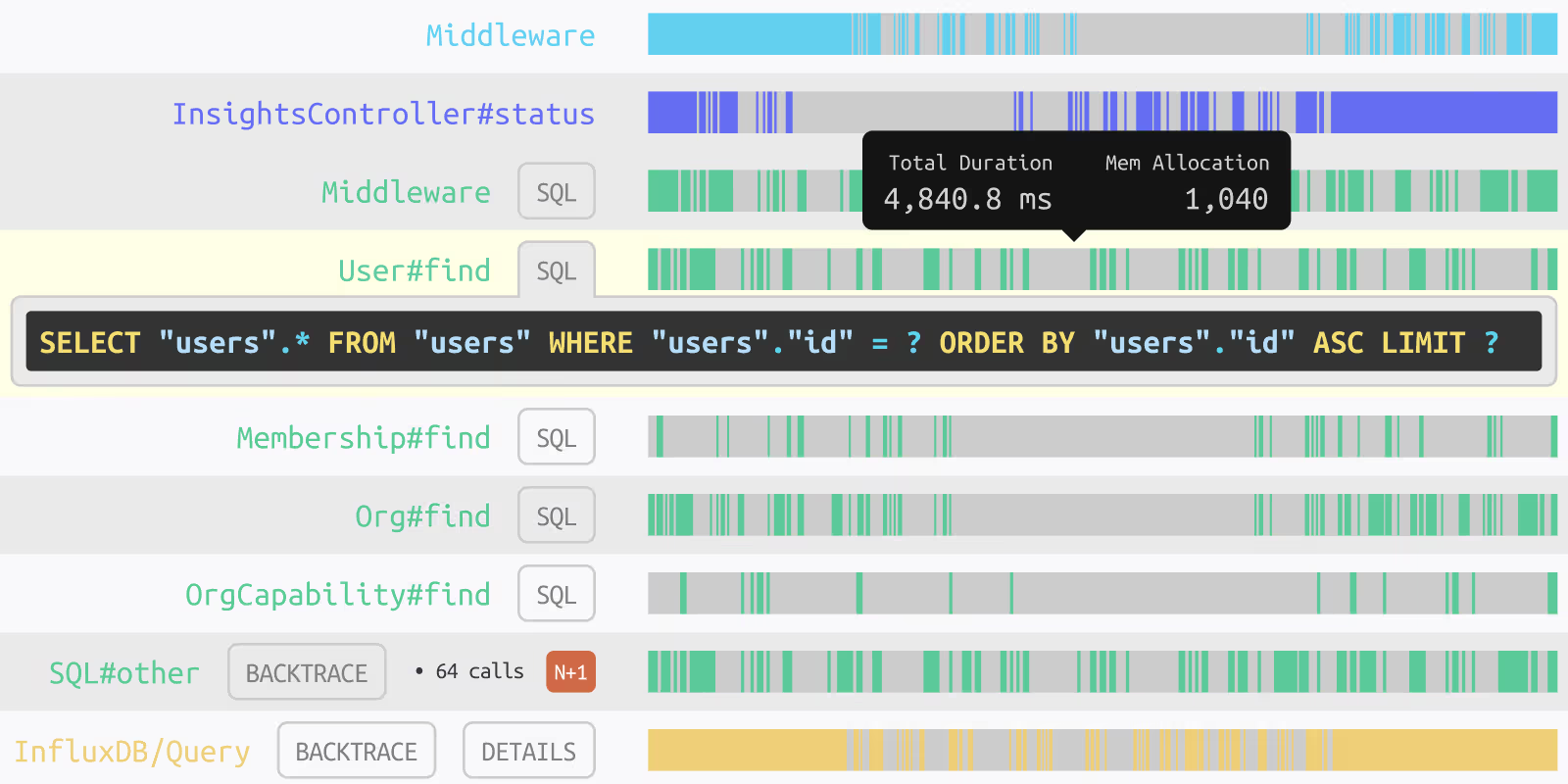
Trace performance issues directly to the exact line of code, eliminating time wasted searching through logs and stacktraces. Scout's detailed transaction traces show you the whole picture - from controller actions to database queries - with timing breakdowns for each component.

Clear Context
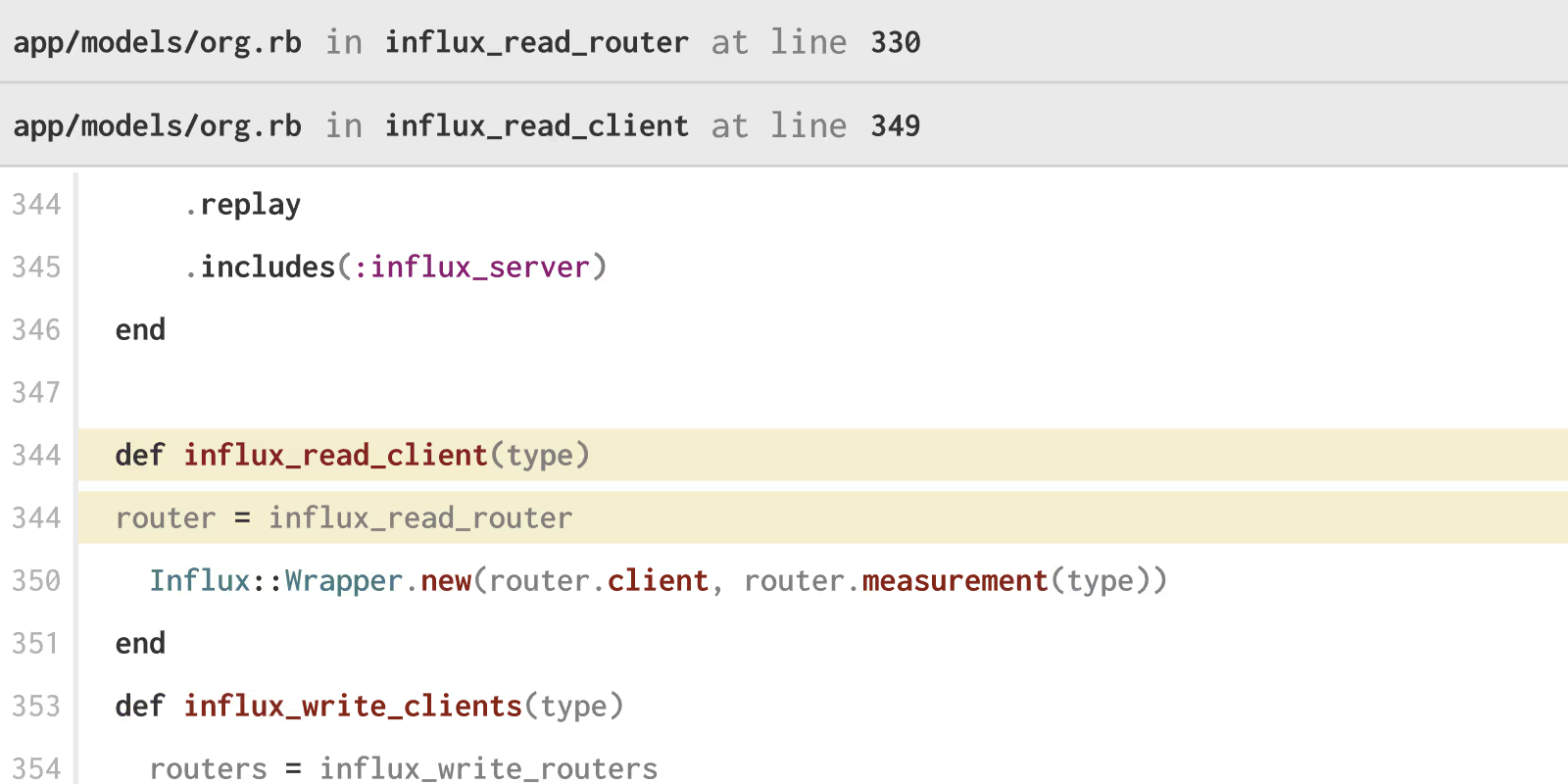
View full context in clear, language-specific syntax, making it easier to understand how problematic code was invoked. Scout's GitHub integration even shows you who wrote the code, when it was deployed, and provides direct links to the relevant source files.
 Get Started in Minutes
Add Scout to Your Elixir App
Monitor your Phoenix application's performance with Scout's Elixir agent. Get insights into your app's behavior with our Phoenix framework support.
For a Phoenix app, add our package to mix.exs (and run mix deps.get):
{:scout_apm, "~> 2.0"}Download your customized config after signing up and place at config/scout_apm.exs.
Add to your lib/your_app_web.ex:
use ScoutApm.Instrumentation See also
See our full installation guide to get the most out of your Scout instrumentation!
 FAQ
FAQ
Elixir Monitoring FAQ
What kind of integrations does Scout support?
Scout supports integrations with PagerDuty, Rollbar, Sentry, Zapier, Github, plus others. Click here for a comprehensive list of our integrations.
What's Scout overhead like?
Scout's performance monitoring agent uses just a portion of the resources of existing app monitoring agents while providing higher-fidelity trace details.
What is the Scout Monitoring installation process like?
You can start collecting insights in just 3 easy steps. Simply install your Elixir framework's package, set a configuration key, and deploy.
What kind of alerting options do I get with Scout Monitoring?
Scout provides alerting options such as Github, Slack, weekly digest emails and more. For a full list visit our alerting options, visit this section of our docs page.
Is it safe to run Scout alongside my current APM library?
Yes